Bluetooth Audio Widget : Connect & Volume Widget1.2
Publisher Description

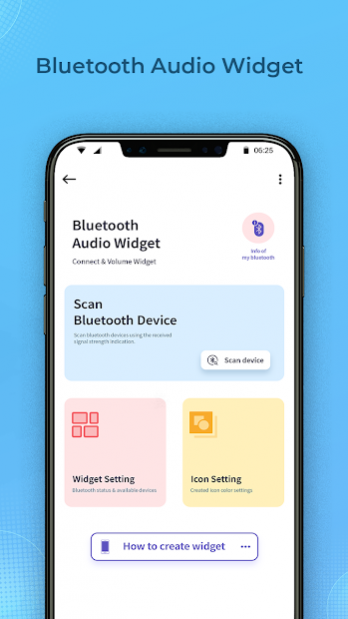
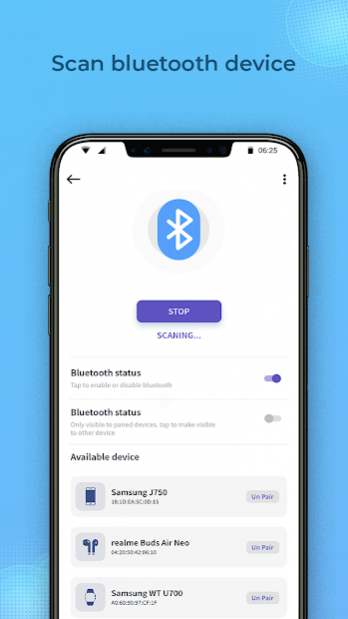
If you want to listen to music, you have to go to settings, wireless, bluetooth and connect/disconnect your audio speaker? It's fully complicated and annoying. I have a better solution. One click on widget to connect your Bluetooth audio device and play without going into the settings menu.
With Bluetooth Audio Widget app you can listen to music and audio files on all audio Bluetooth devices, even those that usually do not allow this, as those who work only during calls. If your headset has A2DP, you will be able to listen to music in good quality. Using the app you can quickly see the battery level of the headset.
App Functionality :-
- Scanning bluetooth device and pair with bluetooth device.
- User can change bluetooth widget settings .
- Customize widget on home screen.
- Display bluetooth information.
- User Guid How To Use Steps.
- One tap to connect with bluetooth device.
This app is compatible with most Bluetooth audio devices (speakers, headsets, hearing devices,...) AirPods, Beats, JBL, Sony, Taotronics, Mpow, Anker, Xiaomi, Philips, Soundpeats, Huawei, Aukey, Bts, Qcy, Sbs, Apple, Jabra, Oneplus, Amazon, Tws, Bluedio, Soundcore, Powerbeats, TWS i11, i12, i30, i90, i200, i500 and many other devices supporting hands-free profile (HFP) or Bluetooth Low Energy (BLE).
Download the all new Bluetooth Audio Widget : Connect & Volume Widget app for FREE!!!
About Bluetooth Audio Widget : Connect & Volume Widget
The company that develops Bluetooth Audio Widget : Connect & Volume Widget is The Green Apple LLC. The latest version released by its developer is 1.2.
To install Bluetooth Audio Widget : Connect & Volume Widget on your Android device, just click the green Continue To App button above to start the installation process. The app is listed on our website since 2022-04-10 and was downloaded 17 times. We have already checked if the download link is safe, however for your own protection we recommend that you scan the downloaded app with your antivirus. Your antivirus may detect the Bluetooth Audio Widget : Connect & Volume Widget as malware as malware if the download link to bluetooth.audio.widget.connect.volume.widget.bluetooth.music.widget is broken.
How to install Bluetooth Audio Widget : Connect & Volume Widget on your Android device:
- Click on the Continue To App button on our website. This will redirect you to Google Play.
- Once the Bluetooth Audio Widget : Connect & Volume Widget is shown in the Google Play listing of your Android device, you can start its download and installation. Tap on the Install button located below the search bar and to the right of the app icon.
- A pop-up window with the permissions required by Bluetooth Audio Widget : Connect & Volume Widget will be shown. Click on Accept to continue the process.
- Bluetooth Audio Widget : Connect & Volume Widget will be downloaded onto your device, displaying a progress. Once the download completes, the installation will start and you'll get a notification after the installation is finished.
Program Details
System requirements
Download information
Pricing
Version History
version 1.2
posted on 2022-04-10
Minor Bugs Fixed.
